
How to Buy PUBG UC in Pakistan (No Credit Card Needed)
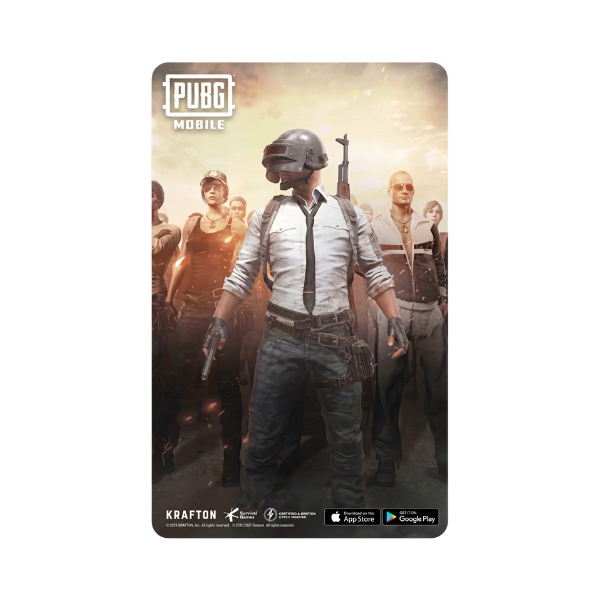
UC — Unknown Cash — is the in-game currency for PUBG Mobile, and it’s the only way to buy the Royale Pass, exclusive outfits, weapon skins, parachute trails, vehicle finishes, and the limited-time crate items that define every PUBG Mobile season. The catch for Pakistani players: most of the official UC top-up paths assume you have an international credit card, and the ones that accept local rupees can be slow, sketchy, or both. This is the clean version: how to buy PUBG UC in Pakistan with EasyPaisa, JazzCash, SadaPay, NayaPay, or a bank transfer, and get the UC in your account within minutes.
Buy PUBG Mobile UC in Pakistan from Metricade. Top up your UC balance without a credit card. Delivery is instant by email, and you pay in Pakistani rupees via EasyPaisa, JazzCash, SadaPay, or bank transfer — no international card needed.
What UC is and what it buys
UC is the cash-shop currency for PUBG Mobile. Spend UC on the seasonal Royale Pass (the rewards-track unlock; this is the single most common UC purchase), Royale Pass Plus and Elite tiers, weapon-skin crates, parachute and finish cosmetics, the limited-time event lucky-spin items, and the X-Suit unlock paths. UC is also how you pre-buy season rewards before the tier grind starts, which is the standard play if you want a specific cosmetic without spending six weeks unlocking it.
The PUBG UC region situation (good news: it’s simple)
Unlike PSN, Xbox, Apple, or Google Play — all of which lock cards to a specific account region — PUBG Mobile codes are global. A single code works on any PUBG Mobile account regardless of region, on Android, iOS, or Steam (via Midasbuy). That dramatically simplifies the buying decision: you don’t need to know what region your PUBG account is on, and you don’t risk redeeming on the wrong region. Just pick the UC denomination you want.
Step-by-step: buying and redeeming UC
- Pick the UC amount. Visit our PUBG UC category and choose the denomination that matches the cosmetic or pass you want. Larger denominations carry better UC-per-rupee value because of the standard PUBG bonus-UC structure.
- Check out in rupees. Pay via EasyPaisa, JazzCash, SadaPay, NayaPay, or direct bank transfer. No international credit card needed at any point.
- Receive your code by email. Once your order is approved, the UC code lands in your inbox immediately.
- Redeem on Midasbuy. Go to midasbuy.com (the official PUBG Corp top-up site), pick PUBG Mobile, enter your player ID from inside the game (Profile → tap your character → Basic Info → ID), and redeem the code. UC lands in your account within seconds.
Why “no credit card needed” matters
Pakistan’s banking system limits international card transactions on most debit cards and many credit cards. State Bank of Pakistan caps the foreign-currency dollar limit on cards, and on top of that, many international gaming storefronts (including Midasbuy’s own card flow) charge a 3-5% conversion fee plus your bank’s foreign-transaction fee. By buying the UC code in rupees from us and redeeming it on Midasbuy, you bypass both the card limit and the conversion fees — the rupee price you pay is what you pay.
UC top-ups vs Google Play balance
Some Pakistani players add UC indirectly by topping up Google Play credit and then buying UC from the in-game PUBG store on an Android device. This works, but only if your Google account region matches your Google Play card region. If you want to go that route, our Google Play category stocks USA, UK, and Turkey denominations. For most players, the direct UC-code path via Midasbuy is simpler — no region matching, no in-app store middleman, and the UC code denominations are sized to match common PUBG purchases.
Bottom line
Buy the UC denomination you want, pay in Pakistani rupees, redeem on Midasbuy in seconds. No credit card, no region mismatch risk, no waiting on bank-FX clearance. PUBG UC Pakistan, done.
Where to buy PUBG Mobile UC in Pakistan
Skip the international-card hassle and load UC straight to your account. Buy PUBG Mobile UC on Metricade — instant email delivery, payment in rupees through local methods, and genuine codes sourced for the Pakistani market.
Level up your gaming experience. Explore our diverse range of gift cards, vouchers, and game keys for PlayStation, Xbox, Nintendo, PC, and more.
© 2026 Metricade. Brand of Market Catalyst Enterprises. All rights reserved.
