
Steam Wallet Code Pakistan: Which Region Should You Buy?
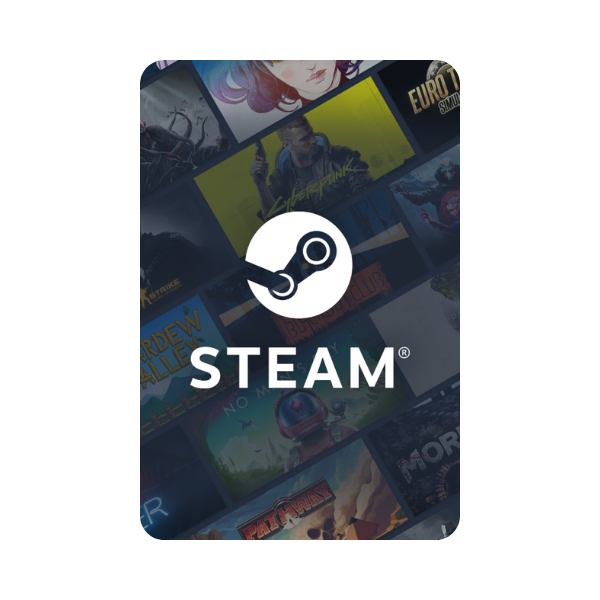
Steam is the largest PC gaming storefront in the world, and topping up your Steam Wallet is the cleanest way for Pakistani gamers to buy games without an international credit card. But Steam’s “Wallet Codes” come with a quirk that confuses first-time buyers: the region question. Here’s the short answer up front, then the longer explanation: Steam Wallet codes are global USD — they work on any Steam account regardless of where you created it. No region matching required, no risk of “invalid code” errors.
Buy Steam Wallet codes in Pakistan from Metricade. Choose the region that matches your Steam account. Delivery is instant by email, and you pay in Pakistani rupees via EasyPaisa, JazzCash, SadaPay, or bank transfer — no international card needed.
“Steam wallet code” vs “Steam gift card” — they’re the same product
Most Pakistani searches use “Steam wallet code” because that’s how Valve has historically labelled the product on its own redemption page. “Steam gift card” is the same product on the retail packaging in some countries. Both names refer to the same numeric code that you activate inside Steam to add funds to your account wallet. If you see one term in a tutorial and the other on a retailer’s site, they’re interchangeable.
Why Steam doesn’t lock codes by region (and what that means for you)
Most platforms (PSN, Xbox, Apple, Google Play) bind their gift cards to a specific account region — buy the wrong region and the code refuses to redeem. Steam doesn’t. A Steam Wallet code denominated in USD redeems on any Steam account regardless of where you signed up. The USD balance lands in your wallet, and when you spend it on a game, the storefront converts to your account’s display currency at checkout using Valve’s internal conversion rate. There’s no extra conversion fee from us or from Valve.
For Pakistani Steam buyers, this means you skip the entire “which region card matches my account” question. Just pick the denomination you want from our Steam category.
How USD converts to PKR on your Steam wallet
Once a Steam Wallet code redeems, the USD balance sits on your account. When you go to buy a game, Steam shows the price in your display currency (often PKR for Pakistani-region accounts, or USD if you signed up with a US-region profile). Steam converts USD wallet balance to your display currency at checkout using its current rate, which broadly tracks the interbank USD/PKR rate. The conversion is silent — you’ll see the price in your local currency and the wallet decrement happens cleanly.
Region of the Steam account itself (different from the card)
Although Steam Wallet codes are global, your Steam account does have a region setting that affects game prices. Steam normally pins your account’s region to the country where you first registered. Pakistani Steam accounts that were created from Pakistan typically get Pakistani-region pricing (which is often substantially cheaper than US pricing for the same game). If you created your account from a US-region IP or set Pakistan as your country during signup, you keep that pricing tier — Steam updates regional pricing automatically but only for new purchases.
Step-by-step: buying and redeeming
- Pick the Steam Wallet code denomination from our Steam category. Larger denominations have no per-rupee discount — pick what matches your buying plans.
- Check out in rupees — pay via EasyPaisa, JazzCash, SadaPay, NayaPay, or bank transfer.
- The code is delivered to your inbox the moment your order is approved.
- Redeem at store.steampowered.com → Add Funds to your Steam Wallet → Redeem a Steam Wallet Code, or in the Steam client under your account name → Account Details → Add Funds.
Compatibility
Steam runs on Windows, macOS, Linux, and the Steam Deck (Valve’s handheld). Wallet balance applies across all of them — the same Steam account works everywhere. Worth knowing: if you also game on console, Steam doesn’t sync to PSN, Xbox, or Nintendo accounts, so for console wallet top-ups you need a separate card from the relevant platform’s gift-card category — see our PlayStation or Xbox categories.
Where to buy Steam Wallet codes in Pakistan
Pick the region this guide recommends for your account and top up in rupees. Buy Steam Wallet codes on Metricade — instant email delivery, payment in rupees through local methods, and genuine codes sourced for the Pakistani market.







Level up your gaming experience. Explore our diverse range of gift cards, vouchers, and game keys for PlayStation, Xbox, Nintendo, PC, and more.
© 2026 Metricade. Brand of Market Catalyst Enterprises. All rights reserved.
