
Battle.net Gift Card Pakistan: WoW, Diablo, Overwatch & More
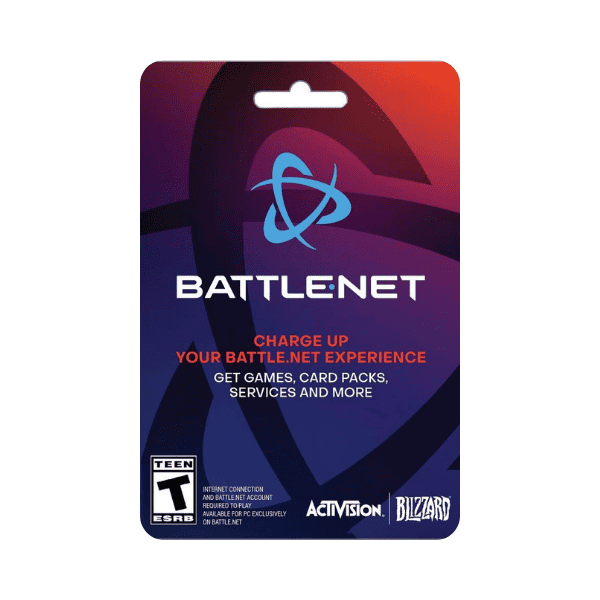
A Battle.net gift card tops up your Battle.net wallet — the universal balance that pays for everything on Blizzard’s storefront. If you play any Blizzard game, you’ve used Battle.net Balance whether you noticed it or not: WoW subscription, Diablo IV expansion, Overwatch 2 coins, Hearthstone packs. This is how Pakistani players top up that wallet without an international credit card.
Buy Blizzard (Battle.net) gift cards in Pakistan from Metricade. For WoW, Diablo, Overwatch, Hearthstone and the rest of the Blizzard library. Delivery is instant by email, and you pay in Pakistani rupees via EasyPaisa, JazzCash, SadaPay, or bank transfer — no international card needed.
What Battle.net Balance pays for
Battle.net wallet credit is the single payment method for the entire Blizzard catalogue:
- World of Warcraft — subscription time, expansions (Dragonflight, The War Within, Midnight when it ships), in-game services (character transfers, name changes, mounts and pets from the WoW shop).
- Diablo IV — expansions (Vessel of Hatred), seasonal pass, cosmetic shop items, platinum top-ups.
- Overwatch 2 — OW Coins for the Battle Pass, hero unlocks, and the cosmetic shop. Note: OW2 is free-to-play, so Battle.net Balance is your only spending path.
- Hearthstone — card packs, Tavern Pass for the seasonal mode, expansion mini-sets, adventure bundles.
- StarCraft remastered, Warcraft III Reforged — game keys and DLC.
- Call of Duty / Modern Warfare — in-game currency on the Battle.net version (the Steam and console versions have separate currencies).
Region: USA vs EU
Battle.net cards are region-paired. A USA card only redeems on a Battle.net account set to the Americas region (US, Canada, LATAM cluster), and an EU card only on a Europe-region account. The two regions are not interchangeable — Blizzard segregates the regional shops, and a cross-region redemption attempt returns an error.
We stock both — pick the region matching your Battle.net account from our Blizzard category. Check your account region in the Battle.net launcher under gear icon → Manage Account → Region.
Why “Battle.net” not “Blizzard”
“Battle.net gift card” is the canonical product name and the term Pakistani players use in search. “Blizzard gift card” is the colloquial Pakistani name for the same thing — same product, different name. If you search either, you’ll find the same wallet-credit code. Don’t worry about the naming — both terms refer to the universal balance code that pays for any Blizzard game or service.
Step-by-step: buying and redeeming
- Pick the Battle.net card denomination from our Blizzard category, selecting USA or EU to match your Battle.net account region.
- Check out in Pakistani rupees — pay via EasyPaisa, JazzCash, SadaPay, NayaPay, or bank transfer.
- The code arrives in your inbox the moment your order is approved.
- Redeem at us.battle.net/account/management/add-balance.html (Americas region) or eu.battle.net/account/management/add-balance.html (Europe region), or in the Battle.net launcher (gear icon → Manage Account → Add Balance).
Compatibility
Battle.net Balance applies to all Blizzard titles on PC and Mac through the Battle.net launcher. It does NOT cross-apply to the Xbox or PlayStation versions of Blizzard games — those use their own platforms’ stores. If you play Diablo IV on Xbox, for instance, the Battle.net balance you bought won’t credit there; you’d need an Xbox gift card from our Xbox category instead.
WoW-specific note: game-time tokens
WoW subscriptions can be paid two ways: directly with Battle.net Balance (real money) or with a WoW Token bought in-game from other players. The Token system is unrelated to gift cards — Tokens are bought with gold and sold for game time. Battle.net cards top up your wallet for real-money purchases including WoW subscription time, but you can’t convert wallet credit into Tokens directly.
Common questions
- Can I use a USA card if my Battle.net account is EU-region?
No — the code will be rejected. Buy the region matching your account, not the region you happen to be physically located in. - Does one Battle.net card cover every Blizzard game?
Yes, on PC/Mac through the Battle.net launcher — WoW, Diablo IV, Overwatch 2, Hearthstone, and StarCraft/Warcraft III all draw from the same wallet balance. - Does it work on Xbox or PlayStation versions of Blizzard games?
No — Battle.net balance only applies to the PC/Mac Battle.net launcher versions. Console versions use their own platform stores. - Is it safe to buy from a Pakistani reseller?
Yes, as long as the seller confirms payment before sending the code — see our Refund Policy for what is covered.
Where to buy Blizzard (Battle.net) gift cards in Pakistan
Load your Battle.net balance and spend it across any Blizzard title. Buy Blizzard (Battle.net) gift cards on Metricade — instant email delivery, payment in rupees through local methods, and genuine codes sourced for the Pakistani market.






Level up your gaming experience. Explore our diverse range of gift cards, vouchers, and game keys for PlayStation, Xbox, Nintendo, PC, and more.
© 2026 Metricade. Brand of Market Catalyst Enterprises. All rights reserved.
