
iTunes vs Apple Gift Card in Pakistan: Which One Do You Need?
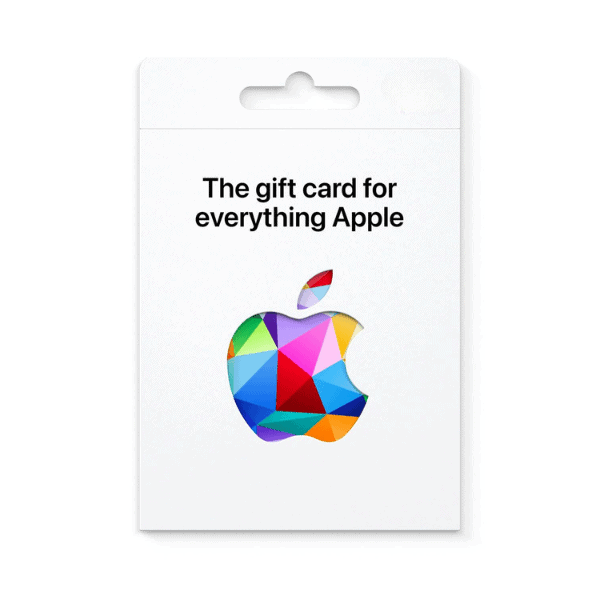
Most Pakistani Apple users still search for “iTunes gift card Pakistan” — and that’s a perfectly valid query. The reason it gets confusing is that Apple renamed the product in 2020: what used to be called an “iTunes Gift Card” is now officially the “Apple Gift Card”, and the new product can be used for everything the old one could plus more (Apple hardware on the online Apple Store, for instance). Here’s what you actually need to know.
Buy Apple gift cards in Pakistan from Metricade. It is the card that replaced iTunes — one balance for the App Store, iCloud, Apple Music and more. Delivery is instant by email, and you pay in Pakistani rupees via EasyPaisa, JazzCash, SadaPay, or bank transfer — no international card needed.
The 2020 rename: same product, broader use
Until 2020, Apple sold two separate gift cards: the “iTunes Gift Card” (for App Store, iTunes Store, and Apple Music) and the “Apple Store Gift Card” (for Apple hardware). They were unified into a single “Apple Gift Card” that does both. If you have an old iTunes Gift Card sitting in a drawer, it still works — Apple maintained backwards compatibility. If you’re buying new in 2026, the product is labelled “Apple Gift Card” on the official store and most retailers, but Pakistani search queries still use “iTunes gift card” by sheer momentum.
What an Apple Gift Card buys
The unified Apple Gift Card pays for everything in the Apple ecosystem:
- App Store — paid apps, paid games, in-app purchases on iPhone, iPad, Mac, and Apple TV.
- Apple Music — subscription (Individual, Family, Student tiers).
- Apple TV+ — Apple’s streaming service subscription.
- iCloud+ storage — the 50GB / 200GB / 2TB / 6TB / 12TB tiers.
- Apple Arcade — the games subscription.
- Apple Books — paid books and audiobooks.
- Apple hardware and accessories on the online Apple Store (this is what changed in the 2020 unification — the old iTunes card couldn’t buy a MacBook, the new Apple Card can).
Region matching is strict
An Apple Gift Card from one country only redeems on an Apple ID set to that same country. We stock two regions covering the most common Pakistani configurations:
- USA — for Apple IDs set to the United States. The configuration most Pakistani iOS users land on for broader app availability and earlier app releases.
- CA (Canada) — for Apple IDs set to Canada. A smaller but consistent group of Pakistani buyers run Canadian Apple IDs.
Check your Apple ID country at appleid.apple.com → Sign-In and Security → Country/Region. The country shown there is the one your gift card must match. Apple does let you change your country, but only when your wallet balance is 0 — so don’t mix and match regions if you’re holding store credit.
Step-by-step: buying and redeeming
- Pick the denomination from our Apple gift card category, selecting USA or CA to match your Apple ID country.
- Check out in Pakistani rupees — pay via EasyPaisa, JazzCash, SadaPay, NayaPay, or bank transfer.
- The code arrives in your inbox the moment your order is approved.
- Redeem in the App Store app on iPhone or iPad (Account → Redeem Gift Card or Code), in the Mac App Store on macOS, or at apple.com/redeem on any browser signed in to your Apple ID.
Compatibility
An Apple Gift Card balance is associated with your Apple ID and works across iPhone, iPad, Mac, Apple Watch, Apple TV, and the web. The balance is a single pool — spending on iCloud subscriptions, App Store apps, and Apple Music draws from the same wallet.
If you’re also on Android
Apple gift cards don’t work on Android devices — Apple’s ecosystem is separate. If you have both Android and iOS devices in the household, you’ll want a Google Play card alongside the Apple card. See our Google Play category for the Android-side equivalent.
Where to buy Apple gift cards in Pakistan
Get the current Apple gift card (the iTunes successor) and top up your Apple ID. Buy Apple gift cards on Metricade — instant email delivery, payment in rupees through local methods, and genuine codes sourced for the Pakistani market.






Level up your gaming experience. Explore our diverse range of gift cards, vouchers, and game keys for PlayStation, Xbox, Nintendo, PC, and more.
© 2026 Metricade. Brand of Market Catalyst Enterprises. All rights reserved.
